Have any question?
Call (403) 210-2927

Call (403) 210-2927

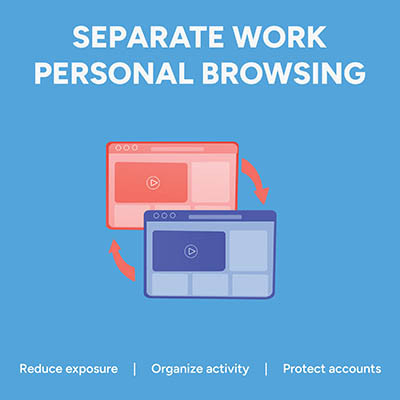
Picture this: an employee is logged into their personal Google or Microsoft account to check a personal email. In the very next tab, they open your company's cloud dashboard to edit a sensitive spreadsheet. It feels completely harmless, but in reality, that single overlapping browser session is a quiet source of data leaks, compliance headaches, and constant calls to your IT help desk.
That’s because if personal identities and corporate cloud accounts mingle in the same browser instance, the browser gets confused. It attempts to sync saved passwords, autofill data, browsing history, and extension permissions across both environments.
The fix is simple… enforce dedicated browser profiles for your entire team.
Chances are you use your Internet browser more than any other tool on your computer, so why not make the most of it? Today, we’re focusing on how you can stay organized and productive with your web browser. We’ll cover all you need to know about tabs, including best practices and shortcuts that are sure to see a lot of use.

While most browsers offer a bookmark feature, allowing a user to save certain web pages for repeated viewing, Google Chrome adds to this with an added functionality: Google Saved.
Previously known as Google Collections, Google Saved gives users a convenient place to keep track of things they want to return to later… similar to a bookmark, but more so.


Sometimes you might be browsing the Internet on your phone and come across an interesting tip or page that you want to share with your other device to access later. On Android, you can easily send the webpage to your PC when using the Chrome browser.
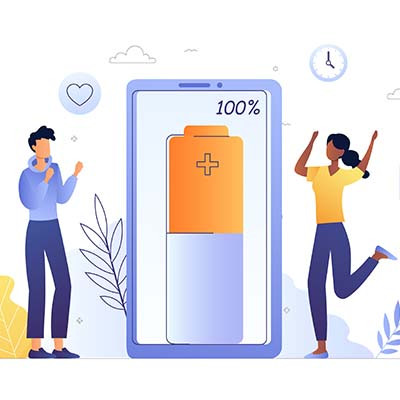
Google Chrome is a known battery killer, at least in the traditional sense. Since so many people use Chrome for their browsing needs, Google decided to release a new feature in Chrome 108 called Energy Saver. What does this feature do and why is it important to know about?
When it comes to technology, we all have our preferred ways of doing things. On a computer, you have several ways of accessing the Internet, and we are sure you have your preferred web browsers for accessing it all. Let’s go over how you can ensure that your computer knows what your preferred web 0browser is by switching the default browser settings for your Windows PC.
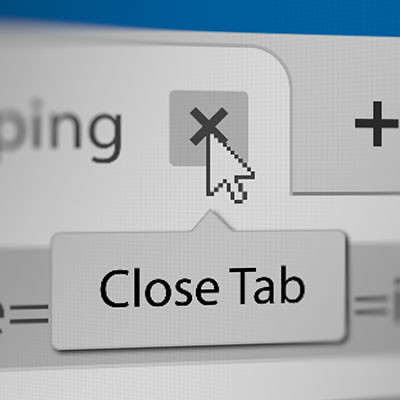
How often do you go about your day-to-day duties only to find yourself buried in opened tabs on your web browser? This isn’t unheard of, especially when you are pulled from one task to the next in quick succession. All browsers give you the ability to control your open tabs by closing all other tabs or by closing all tabs to the right.

We’re pretty outspoken in our support of VPNs (virtual private networks) as an indispensable tool for your online security. However, considering that there are things that a VPN can and can’t do, we thought it would be helpful to specify what a VPN is really for.

Finding the right web browser for your business’ needs can be challenging, as every user is different and will likely have a preference. While it’s easy to list off the most well-known browsers, including Google Chrome, Safari, Microsoft Edge, and Mozilla Firefox, it’s more difficult to find one that suits your needs. Which one can you count on most to get your work done in an efficient manner?
Navigation is critical to success in just about any computing system, and the Internet is no exception. In essence, it’s a compilation of web pages, images, videos, and countless other bits of content that are all interconnected by what are called “links.”
One of the nice things about browsing the Internet on a mobile device is how many options there are in terms of browsers. However, when trying to select the best, it may not be a bad strategy to stick to familiar names. Here, we review a few solid options that you may consider.

Chances are, if given the choice, you would choose Google Chrome over Microsoft Edge for your web browsing needs. Knowing this, Microsoft has enabled users to customize their Edge browsers to suit their needs a little more. For today’s tip, we’ll go over how to set up these features and settings.
One of the best things about computers is that there is always a new way to make something easier: automation decreases a workload, their processors can calculate much faster than the human brain can, collaboration with coworkers becomes almost effortless, and your web browser can even remember your passwords! However, you have to ask yourself: is the ability to save your passwords in your browser really a great idea?

Ahh, the Internet. It’s an incredible tool that helps people all over the world get work done on a daily basis. It’s often thought of as a tool to achieve a means, but like any other tool, it works best alongside others just like it. Plug-ins are additional ways that web-based applications and software solutions help make your use of them even better.
Interested in seeing what we can do for your business? Contact us to see how we can help you!
Our network assessment will reveal hidden problems, security vulnerabilities, and other issues lurking on your network.
Learn more about what OnSite I.T. can do for your business.
OnSite I.T.
429 14th St. N.W. #104
Calgary, Alberta T2N 2A3